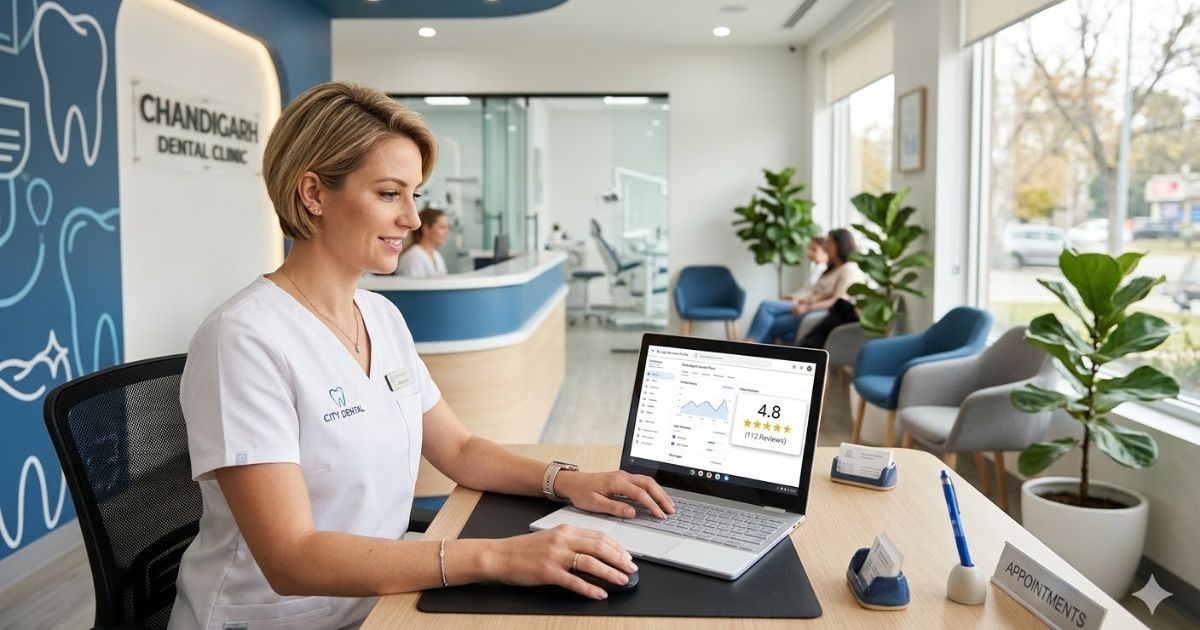

When a patient searches ‘dentist near me’, Google shows three clinics above everything else. Those three listings have photos, star ratings, opening hours, a call button, and sometimes even a list of treatments right there on the screen. Most patients pick from those three. The rest of the dental clinics in the area barely exist to that patient.
That box of three is the Map Pack. And the tool that determines whether your clinic is in it is your Google Business Profile.
Most dental clinics have one. Most filled it in partially when they first set it up and never touched it again. A small number have genuinely optimised it, and those are the clinics consistently appearing in those three spots regardless of competition.
This guide covers every step of setting up and optimising a Google Business Profile specifically for a dental clinic, including the advanced strategies that most practices and most SEO guides never get into.
Want the full local SEO picture before diving into GBP specifically? Start with our Local SEO for Dentists complete guide first.
Step 1: Claim and Verify Your Dental Clinic’s Listing
Go to business.google.com and search for your clinic name. If a listing already exists, claim it. If not, create one from scratch.
For dental clinics specifically, there are two common situations worth knowing about:
The previous dentist’s listing: If you took over a practice from a retiring dentist, their Google Business Profile almost certainly still exists with their name on it. Patients searching your clinic name may find the old listing with outdated information. Use the ‘Request access’ option and Google will contact the current owner. If no response within 7 days, you can verify ownership yourself.
Multiple practitioners, one address: If your clinic has multiple dentists practising under the same roof, Google’s policy is one listing per physical location for the clinic itself. Individual dentists can have separate profiles if they operate as independent practitioners, but a group practice with employed dentists should have one clinic-level listing.
Verification
Most dental clinics verify by postcard, which takes 5 to 14 days. Some clinics qualify for video verification, which is faster. Use the waiting period to prepare everything in this guide so your profile is ready to publish the moment your PIN arrives.
Check whether a listing for your clinic already exists before creating a new one. Duplicate listings are a common problem for dental clinics, especially practices that have changed names or ownership. A duplicate listing splits your reviews and your ranking signals between two profiles. If you find one, report it for removal through the GBP dashboard.
If your listing keeps getting suspended during verification, read: Google Business Profile Keeps Getting Suspended.
Step 2: Choose Your Categories Precisely
Category selection is the most powerful single decision you make in your Google Business Profile. It determines which patient searches your listing is eligible to appear in.
The mistake almost every dental clinic makes is choosing ‘Dentist’ as their only category and leaving it there. That is the broadest possible category. It tells Google you are a dentist but nothing more specific about what type of dentist or what treatments you specialise in.
All Available Dental GBP Categories
| Category | When to Use It |
|---|---|
| Dentist | General practice. Use as primary if you are a full-service general dentist. |
| Dental Clinic | Alternative to Dentist for clinic-style practices. Test which performs better in your market. |
| Cosmetic Dentist | If cosmetic treatments are a significant part of your work. Ranks for ‘cosmetic dentist [city]’, ‘teeth whitening dentist’, ‘veneers dentist’. |
| Orthodontist | Essential if you offer braces or clear aligners. ‘Orthodontist near me’ is a high volume search entirely separate from ‘dentist near me’. |
| Pediatric Dentist | If you treat children. Parents search specifically for child-friendly dental clinics. |
| Emergency Dental Service | If you offer same-day emergency appointments. ‘Emergency dentist near me’ is one of the highest-intent searches in dental. |
| Oral Surgeon | For practices that perform surgical extractions, implants, or jaw surgery. |
| Endodontist | Root canal specialist. High-intent patients searching for this know exactly what they need. |
| Periodontist | Gum disease specialist. Niche but high intent. |
| Prosthodontist | Dentures, crowns, bridges specialist. |
| Dental Implants Provider | Not an official GBP category but implant-related secondary signals matter for high-value searches. |
Your primary category should be your most common patient type. Secondary categories should cover every specialty or treatment area you genuinely offer.
The category expansion strategy for dental clinics:
A general practice that also offers orthodontics, cosmetic dentistry, and emergency appointments can legitimately use four separate categories:
- Primary: Dentist
- Secondary: Cosmetic Dentist, Orthodontist, Emergency Dental Service
Each secondary category makes your listing eligible for a completely separate pool of patient searches. ‘Orthodontist near me’ and ‘cosmetic dentist [city]’ are searched by patients who would never type ‘dentist near me’.
Most clinics leave three or four of these patient pools completely unclaimed.
Test one category change at a time, wait 3 weeks, and compare your GBP impressions before and after to find your strongest combination.
Step 3: Fill In Every Field Correctly
Clinic Name
Your real, registered clinic name. Nothing added. Not ‘City Dental Clinic Best Cosmetic Dentist Austin’ , just your actual name. Keyword stuffing in your business name violates Google’s policy and is a common reason dental clinic listings get suspended.
Address
Your full clinic address in exact format, matching your website, your professional registration listing, and every other directory you appear on. The format must be consistent everywhere without exception.
If your address is correct but the location pin on Google Maps is in the wrong spot, read: Location Tag Won’t Change on Google Business Listing.
Phone Number
Your direct clinic number with a local area code. Not a central booking line for a dental chain, not a call tracking number with a non-local code. A local number is a relevance signal that confirms your practice is genuinely in the area it serves.
Phone number being rejected when you try to add it? Read: How to Fix GBP Mobile Number Not Getting Approved.
Website
Link to your own clinic website. Not a third-party booking platform, not a dental group’s head office website. Your clinic’s own site, ideally with a dedicated local page for your specific location if you are part of a group practice.
Opening Hours
Every day filled in accurately. If you have an emergency line available outside normal hours, note it in your business description. If you close for lunch, add split hours using the ‘Add hours’ feature. Holiday hours should be updated in advance, not after a patient arrives at a closed door.
Incorrect opening hours are the most common reason patients leave negative reviews for dental clinics. ‘Showed up and they were closed despite Google saying open’ is a review you never want and one that is entirely preventable. Check your hours every time there is a change to your schedule.
Business Description
You have 750 characters. Use them well. Your description should cover:
- What type of dental practice you are and where you are located
- Your key treatments or specialties
- Your approach to patient care, especially nervous patients
- Your qualifications or years of experience
- A soft call to action
Example: ‘City Dental is a general and cosmetic dental practice in South Austin, TX, serving patients across the area since 2012. We offer a full range of treatments including dental implants, Invisalign, teeth whitening, root canal treatment, and children’s dentistry. Our team understands that many patients feel anxious about dental visits, and we pride ourselves on a calm, patient approach that puts everyone at ease. All dentists are fully registered and hold advanced qualifications in their respective specialties. Call us to book or request an appointment online.’
Step 4: Services Section: Your Biggest Keyword Opportunity
The services section of your GBP is one of the most underused features in dental. Every service you add with a name and description becomes indexed content that Google uses to match your listing to treatment-specific searches.
This means a patient searching ‘dental implants near me’ is more likely to find your listing if you have added ‘Dental Implants’ as a service with a proper description than if you simply list your clinic as a ‘Dentist’.
Services to Add for a General Dental Practice
| Service Name | Description Keywords to Include |
|---|---|
| Dental Implants | Single implants, implant-supported bridges, full arch implants |
| Teeth Whitening | In-chair whitening, take-home whitening kits, laser whitening |
| Invisalign / Clear Aligners | Invisalign, ClearCorrect, or other clear aligner systems you offer |
| Root Canal Treatment | Endodontic treatment, root canal therapy, retreatment |
| Dental Veneers | Porcelain veneers, composite veneers, smile makeovers |
| Dental Crowns and Bridges | Tooth crowns, dental bridges, same-day crowns (CEREC if applicable) |
| Teeth Straightening | Traditional braces, ceramic braces, lingual braces |
| Children’s Dentistry | Paediatric dental care, fissure sealants, fluoride treatments |
| Emergency Dentistry | Same-day emergency appointments, toothache treatment, broken tooth |
| Dental Checkup and Clean | Routine examination, scale and polish, oral health assessment |
| Gum Disease Treatment | Periodontal treatment, deep cleaning, gum therapy |
| Wisdom Tooth Removal | Wisdom tooth extraction, surgical removal |
| Nervous Patient Dentistry | Anxiety-friendly appointments, sedation options, gentle care |
| Dental X-Rays | Digital X-rays, OPG, CBCT scanning |
Write each description carefully: A description like ‘We offer dental implants at our Austin clinic, including single tooth implants, implant-supported bridges, and full arch implant solutions. Our implant dentist has 10 years of specialist experience.’ naturally contains: dental implants Austin, single tooth implants, implant-supported bridges, implant dentist. Every word is indexed. Every treatment you add this way expands the searches you appear in.
Step 5: Photos: Building Patient Trust Before They Walk In
For a dental clinic, photos do something different than they do for a restaurant or a shop. They reduce anxiety. A patient who has not been to the dentist in years, or who is nervous about a new clinic, will look at your photos to assess whether the environment feels safe, modern, and welcoming before they decide to book.
Your photos are doing patient conversion work before a single appointment is made.
Essential Photo Set for Dental Clinics
| Photo Type | Why It Matters for Dental Patients |
|---|---|
| Reception and waiting area | Clean, modern, calm. Good lighting. No clutter. This is the first thing a nervous patient looks at. A warm, professional waiting room builds immediate confidence. |
| Treatment rooms | Modern equipment, clean surfaces, good lighting. Shows patients what to expect and signals that the clinic uses up-to-date technology. |
| Team photos | Every dentist and key staff member with their name. Patients want to see the face of the person treating them before they arrive. This reduces anxiety more than any other single photo. |
| Exterior and signage | Clear view of your frontage and entrance so patients can find you easily. Daytime photo is essential, evening photo is valuable if your signage is well lit. |
| Before and after results | With clear patient consent. Cosmetic treatments especially. A compelling smile transformation photo is one of the highest-converting images on any dental GBP listing. |
| Technology and equipment | If you use notable technology (digital X-rays, CBCT scanner, intraoral camera, CEREC same-day crowns), a photo of it builds credibility with patients who research before booking. |
File naming for dental photos:
- Before uploading any photo, rename the file to something descriptive.
- Google reads image file names as a relevance signal.
- Instead of: IMG_5834.jpg
- Use: dental-implants-clinic-austin-tx.jpg
- Or: cosmetic-dentist-reception-south-london.jpg
- Or: nervous-patient-dental-clinic-manchester.jpg
10 seconds per photo. Almost no dental clinics do this. Every renamed file is a free, immediate relevance signal to Google.
Step 6: Dental-Specific Attributes
Attributes are the checkboxes on your profile that describe your clinic. They appear on your listing and determine whether you show up in filtered searches. For dental clinics, these are the attributes that matter most:
| Attribute | Why It Matters for Dental |
|---|---|
| Accepts new patients | Critical. Many patients specifically filter for clinics accepting new patients. If you are accepting but have not checked this, you are invisible to that filter. |
| Online appointments | If you have online booking, check this. Patients increasingly expect to book without calling. |
| Wheelchair accessible | Essential for accessibility. Appears in filtered searches from patients with mobility needs. |
| Accepts insurance / NHS | High intent filter. Patients with insurance specifically search for providers that accept it. |
| Identifies as women-led | If applicable. Some patients specifically prefer female dentists or female-led practices. |
| Language assistance available | If your team speaks languages other than English, check this. Highly relevant in multilingual communities. |
| LGBTQ+ friendly | Signals an inclusive practice. Some patients actively look for this before choosing a provider. |
Step 7: Q&A Section: Control the Conversation Before Patients Ask
The Q&A section on your GBP listing is open to anyone. Any Google user can ask a question, and any Google user can answer it. If you do not pre-populate it with accurate answers, a well-meaning but incorrect answer from a stranger could be the first thing a potential patient reads about your clinic.
The solution is to ask and answer your own questions. This is completely within Google’s guidelines. Here is how: open Google Maps, search your clinic, scroll to the Q&A section, and post questions as yourself. Then log into your GBP owner account and answer them.
Questions Every Dental Clinic Should Pre-Load
- ‘Are you currently accepting new patients?’ , Answer with yes, your booking process, and a direct link or phone number
- ‘Do you treat nervous or anxious patients?’ , Describe your approach, any sedation options, and your team’s experience with dental anxiety
- ‘Do you accept dental insurance / NHS patients?’ , Be specific about what you accept
- ‘Do you offer emergency same-day appointments?’ , If yes, explain how to access them and your response time
- ‘What cosmetic treatments do you offer?’ , List your key cosmetic services naturally
- ‘How long is the wait for a new patient appointment?’ , Honest answer that sets realistic expectations
- ‘Is there parking available near the clinic?’ , Practical and commonly asked
- ‘Do you offer payment plans or finance options?’ , High intent question from patients considering larger treatments
The treatment-specific Q&A strategy:
Beyond basic clinic questions, create Q&A entries that target treatment searches directly.
‘Do you offer dental implants in [city]?’ answered with: ‘Yes, [Clinic Name] provides dental implant treatment in [city]. Our implant dentist has [X] years of experience and uses [implant system]. Treatment starts from [price range]. Book a free consultation to discuss your specific case.’
That answer contains: dental implants [city], implant dentist, price keyword.
Google indexes every word. This Q&A entry actively helps you rank for ‘dental implants [city]’ from within your GBP listing itself, supplementing your website’s implants page with an additional indexed source.
Step 8: Google Posts for Dental Clinics
Google Posts appear on your listing in search results. For dental clinics, they are underused almost universally. A clinic that posts regularly has a visibly more active, trustworthy listing than one that has not posted in months.
| Post Type | How to Use It for Dental |
|---|---|
| Treatment spotlight | Feature one treatment per week with a photo. ‘This month we are offering teeth whitening consultations at our [city] clinic. Achieve a brighter smile in one appointment. Book online or call us.’ Each post contains treatment and location keywords. |
| Patient education | ‘5 Signs You Might Need a Root Canal’, ‘Why Gum Bleeding Should Never Be Ignored’, ‘What Happens at Your First Dental Implant Consultation’. Educational posts build trust and rank for question-format searches. |
| Seasonal offers | Back to school dental checkups, pre-wedding smile packages, New Year teeth whitening promotions. Seasonal relevance keeps your profile fresh. |
| Team introductions | A short post introducing a dentist or team member with their photo and specialty. Puts a human face on the practice and builds the personal connection that reduces patient anxiety. |
Step 9: Weekly Maintenance Routine
Every week
- Publish one Google Post with a photo and call to action
- Respond to all new reviews within 24 hours
- Check profile for unauthorised edits
Every 2 weeks
- Add 2 to 3 new photos (team, treatment rooms, before and after)
Every month
- Review GBP Performance dashboard , impressions, calls, direction requests
- Add 1 to 2 new Q&A entries targeting treatment searches
Every quarter
- Review and update your services list as your treatment offering evolves
- Test a category change if you are not satisfied with your Map Pack position
Complete Dental GBP Optimisation Checklist
- Profile claimed and verified with a clinic email address
- Clinic name is your real registered name with no keywords added
- Address matches your website, professional registration, and all directories exactly
- Local area code phone number entered
- Clinic website linked correctly
- Opening hours accurate for every day including holidays and lunch breaks
- Primary category reflects your most common patient type
- Secondary categories added for every specialty and treatment area you offer
- Business description uses 750 characters with natural treatment keywords
- Every treatment added in the Services section with a keyword-rich description
- At least 20 photos uploaded covering all categories in the table above
- Photo files renamed with descriptive keywords before uploading
- All relevant attributes checked especially ‘accepts new patients’
- Q&A section pre-loaded with 8 to 10 questions covering key patient concerns
- Treatment-specific Q&A entries targeting your highest-value searches
- Google Posts published at least once per week
- All reviews responded to within 24 hours with keyword-rich responses
- GBP notifications turned on for all profile changes
- Monthly GBP Performance dashboard review scheduled
Read Next in This Series
- Getting patient reviews consistently and correctly: How to Get More Patient Reviews for Your Dental Clinic
- The complete strategy and advanced tactics: Local SEO for Dentists
For the advanced GBP optimisation strategies that apply to every business type: How to Optimise Your Google Business Profile.