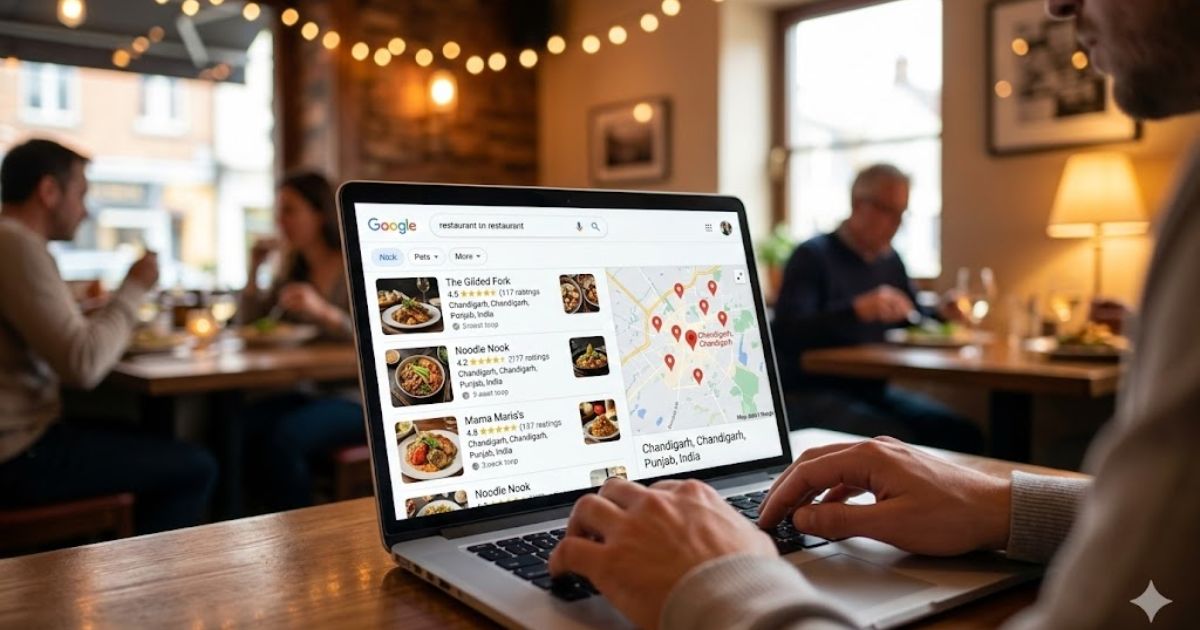

Your Google Business Profile gets the most direct credit for your Map Pack ranking. But your website is what sits behind it, quietly telling Google how credible, relevant, and trustworthy your restaurant is.
A poorly optimised website is one of the most common reasons a restaurant with a good GBP still does not break into the top three local results. Google looks at both together. If your GBP is strong but your website is thin, slow, or missing basic local signals, your ranking has a ceiling.
This checklist covers every part of your website that affects your local search ranking. Go through it section by section. Anything you cannot tick right now is an opportunity to move up.If your Google Business Profile is not fully set up yet, start there first. Read our Google Business Profile for Restaurants guide before working on your website.
Basic Local Signals
These are the foundational on-site signals Google uses to confirm where your restaurant is located and what it serves. Missing any of these limits your local relevance no matter how good everything else is.
| What to Check | Why It Matters |
|---|---|
| Your restaurant name, address, and phone number (NAP) appear on every page, ideally in the footer | Consistent NAP across every page reinforces your location to Google |
| Your NAP format exactly matches your Google Business Profile, TripAdvisor, and every other directory listing | Any variation looks like a different business to Google’s algorithm |
| Your city and neighbourhood appear naturally in your homepage copy, not just in the footer | Location keywords in visible content are stronger signals than footer text alone |
| Your phone number is a local area code, not a national line | Local numbers confirm genuine local presence |
| Your website is linked to your Google Business Profile | Google cross-references your site and GBP, each strengthening the other |
| Your address is marked up with LocalBusiness schema (structured data) | Schema tells Google your exact location in a machine-readable format, directly boosting local relevance |
| Your website has an embedded Google Map on the Contact page | Embeds are a local relevance signal and help customers find you physically |
Page Titles and Meta Descriptions
Your page title is the single most important on-page SEO element on any given page. It tells Google what the page is about and it is what appears as the clickable headline in search results. Getting this right for a restaurant is straightforward but most restaurant websites still get it wrong.
| What to Check | Why It Matters |
|---|---|
| Homepage title includes your cuisine type and city, e.g. ‘Italian Restaurant in Austin, TX | Restaurant Name’ | This is the first signal Google reads, cuisine type plus city is your core local keyword |
| Each page has a unique title, no two pages share the same one | Duplicate titles confuse Google about which page to rank for which search |
| Page titles are between 50 and 60 characters so they display fully in search results | Titles that get cut off lose impact and click-through rate |
| Meta descriptions are written for every key page (homepage, menu, contact, location pages) | Meta descriptions do not directly affect ranking but they affect click-through rate, which does |
| Meta descriptions are between 140 and 160 characters | Longer descriptions get cut off in search results |
| Meta descriptions include a call to action, e.g. ‘Book a table’, ‘View our menu’, ‘Visit us today’ | A call to action in the description increases the chance someone clicks your result |
| Your most important keyword appears naturally in the first sentence of each page’s body content | Early keyword placement reinforces what the page is about to Google |
Homepage Optimisation
Your homepage is usually the most visited and most linked-to page on your website. It carries the most authority and gives Google its strongest impression of what your restaurant is. It needs to work hard.
| What to Check | Why It Matters |
|---|---|
| Your H1 heading includes your cuisine type and city | The H1 is the most prominent content signal on the page, it should contain your primary keyword |
| Your opening paragraph mentions what you are, where you are, and what makes you different | Gives Google and visitors immediate clarity, reducing bounce rate and improving relevance |
| Your key services or dining options are mentioned on the homepage (dine-in, private dining, takeaway, etc.) | Tells Google the full scope of what your restaurant offers |
| You have at least 3 to 5 real photos on the homepage with descriptive alt text | Alt text on images is indexed by Google and is another keyword placement opportunity |
| A clear call to action is visible above the fold (Book a Table, View Menu, Call Us) | Reduces bounce rate and drives direct actions that Google treats as engagement signals |
| Your opening hours are visible on the homepage or one click away | One of the first things potential customers look for, and a trust signal |
| Customer reviews or a star rating widget is displayed on the homepage | Social proof on the homepage increases time on site and conversion rate |
Menu Page
Your menu page is often the second most visited page on a restaurant website. It is also one of the most underoptimised. Most restaurants either upload a PDF (which Google cannot read) or list dishes with no descriptions. Both approaches waste the SEO potential of your most keyword-rich content.
| What to Check | Why It Matters |
|---|---|
| Your menu is written as HTML text on the page, not uploaded as a PDF | Google cannot read text inside a PDF the way it reads page content. HTML menus are fully indexed. |
| Each dish has a short description, not just a name and price | Dish descriptions contain your most specific and unique keywords, ingredients, cuisine terms, and cooking methods |
| Your page title includes the word ‘menu’ and your restaurant name or cuisine type | e.g. ‘Italian Restaurant Menu | Restaurant Name’ targets people searching for your specific menu |
| Dietary information is clearly marked, vegan, gluten-free, halal, etc. | These terms appear in filtered searches. If they are on your menu page Google can surface you for them. |
| Your menu page links back to your homepage and your booking or contact page | Internal links pass authority between pages and guide customers toward conversion |
| Menu is divided into clear sections with heading tags (H2 or H3) | Heading structure helps Google understand your menu’s organisation and indexes section names as content |
If you currently use a PDF menu and cannot switch to HTML text right now, at minimum add a paragraph of descriptive text above the PDF embed that describes your key dishes and cuisine type in plain text. Google will index that text even if it cannot read the PDF.
Location and Contact Page
Your contact and location page is one of the most important pages on your website for local SEO. It consolidates your location signals in one place and is often where Google looks to confirm your address details.
| What to Check | Why It Matters |
|---|---|
| Page has a clear H1 that includes your restaurant name and city | e.g. ‘Find Us | Restaurant Name in South Austin, TX’ |
| Full address written in plain text on the page, matching your GBP exactly | Google reads this and cross-references it with your GBP. Any mismatch weakens both. |
| Phone number written in plain text, not just as a graphic or image | Google indexes text, not images. A phone number in an image is invisible to the algorithm. |
| Opening hours listed in plain text for every day of the week | Indexed by Google and frequently pulled into search results directly |
| An embedded Google Map is present showing your exact pin location | Embeds are a local relevance signal and confirm your physical location to Google |
| Directions from nearby landmarks or transport links are described | People searching ‘restaurant near [landmark]’ can find you through this content |
| Parking information is mentioned | A common customer question, and answering it on the page keeps people on your site longer |
Additional Location and Occasion Pages
This is where most restaurant websites have the biggest untapped opportunity. A single homepage cannot rank for every search your potential customers are making. Dedicated pages for specific occasions and areas can each rank individually for high-intent searches.
| What to Check | Why It Matters |
|---|---|
| You have a dedicated page for private dining or event hire if you offer it | ‘Private dining room [city]’ is a high-value, low-competition search most restaurants miss |
| You have a dedicated page for any major dining occasion you cater for (romantic dinner, birthday, corporate lunch) | Occasion-specific pages rank for high-intent searches where the customer is ready to book |
| If you serve multiple neighbourhoods or areas, you have individual pages for each | A page titled ‘[cuisine] restaurant [neighbourhood]’ can rank for that specific area search |
| Each additional page has a unique H1, unique body content, and unique meta title | Duplicate content across location pages is penalised by Google. Each page must be genuinely unique. |
| Each additional page links to your main menu, contact, and booking page | Internal links build page authority and guide visitors toward conversion |
| Each page mentions the specific area, occasion, or service in the first paragraph naturally | Front-loading the keyword tells Google immediately what the page is about |
Quick win: If you offer private dining, write that page today. ‘Private dining room [your city]’ is searched regularly and almost no restaurant websites have a dedicated, optimised page for it. This is one of the fastest pages to rank for because competition is so low.
Images
Images are often the most neglected SEO element on restaurant websites. Every image is an opportunity to send a relevance signal to Google. Most restaurants leave every image unnamed and undescribed.
| What to Check | Why It Matters |
|---|---|
| Every image has descriptive alt text that includes relevant keywords | e.g. alt=’wood-fired pizza at Italian restaurant in Austin TX’. Google reads alt text as content. |
| Image files are named descriptively before uploading, not left as IMG_4823.jpg | e.g. truffle-pasta-south-austin-restaurant.jpg. File names are indexed by Google. |
| Images are compressed to load quickly without losing visible quality | Page speed is a ranking factor. Large uncompressed images slow your site down significantly. |
| You are using real photos of your restaurant and food, not stock photography | Google can detect stock images. Customers trust real photos. Always use your own. |
| Your hero image (the main image customers see first) shows your food or atmosphere at its best | First impression happens in under 3 seconds. A weak hero image increases bounce rate. |
Page Speed and Technical Basics
Google uses page speed as a direct ranking factor, particularly for mobile searches. Most customers searching for a restaurant nearby are on their phone. A slow website loses customers before they have even seen your menu.
| What to Check | Why It Matters |
|---|---|
| Your website loads in under 3 seconds on mobile (test at pagespeed.web.dev) | 53% of mobile users leave a page that takes longer than 3 seconds to load |
| Your website is fully mobile responsive, all content readable without zooming | More than 70% of restaurant searches happen on mobile. A non-responsive site is a serious problem. |
| Your website has an SSL certificate (URL starts with https, not http) | Google marks non-https sites as ‘not secure’. This damages trust and ranking. |
| There are no broken links on your website (test with a free broken link checker) | Broken links signal a neglected website to Google and frustrate customers |
| Your website is indexed by Google (search ‘site:yourrestaurantwebsite.com’ in Google) | If Google has not indexed your site, none of your content appears in search results |
| You have submitted your sitemap to Google Search Console | A sitemap helps Google find and index all your pages, especially new ones |
| There are no duplicate pages or duplicate title tags across your website | Duplicate content splits your ranking power and confuses Google about which page to show |
How to check your page speed: Go to pagespeed.web.dev and enter your restaurant’s website URL. Google will give you a score for both mobile and desktop and tell you exactly what is slowing your site down. Anything under 50 on mobile needs urgent attention.
Schema Markup
Schema markup is a small piece of code you add to your website that tells Google specific structured facts about your restaurant. It does not change what your website looks like, but it tells Google what your content means, not just what it says.
For restaurants, schema can directly affect how your listing appears in search results, sometimes showing your star rating, cuisine type, price range, and opening hours directly in the search snippet.
| What to Check | Why It Matters |
|---|---|
| Restaurant schema is implemented on your homepage with your name, address, phone, and cuisine type | Directly feeds structured data to Google, strengthening every local relevance signal on your site |
| Your opening hours are included in the schema markup | Google can display your hours directly in search results without the customer needing to visit your site |
| Your price range is included in schema (PriceRange property) | Helps Google match your restaurant to searches that include price expectations |
| Your cuisine type is specified in schema (servesCuisine property) | Directly tells Google what food you serve in a machine-readable format |
| Review schema is implemented if you display customer reviews on your website | Can trigger star ratings to appear in your search result snippet, significantly improving click-through rate |
| Menu schema links to your menu page | Tells Google where your menu lives and strengthens the menu page’s relevance |
No coding required: If your restaurant website runs on WordPress, plugins like Rank Math or Yoast SEO can add schema markup without any coding. If you use Squarespace or Wix, look for the SEO settings panel, both platforms have built-in schema options for local businesses.
Internal Linking
Internal links are links from one page on your website to another. They do two important things: they pass authority between your pages and they tell Google which pages are most important. Most restaurant websites have almost no internal linking beyond the navigation menu.
| What to Check | Why It Matters |
|---|---|
| Your homepage links to your menu, contact, and any key landing pages (private dining, etc.) | Your homepage has the most authority. Linking from it passes that authority to other pages. |
| Your menu page links to your contact and booking page | Guides customers from browsing to booking, reduces drop-off at the most critical conversion point |
| Your blog or news section (if you have one) links to relevant service pages | Blog content can pass authority to your commercial pages through internal links |
| Occasion and location pages link back to the homepage and to each other where relevant | Creates an internal linking web that distributes authority across your entire site |
| You do not have any orphan pages (pages with no links pointing to them from the rest of your site) | Orphan pages receive no authority from the rest of your site and are harder for Google to find and index |
The Priority Order – Where to start?
If your website has a lot of gaps, work through them in this order. The items at the top have the most direct impact on your local ranking:
| What to Check | Why It Matters |
|---|---|
| 1. NAP consistency across every page and every directory | The most fundamental local signal. Fix this before anything else. |
| 2. Homepage H1 and title tag with cuisine type and city | Highest-impact on-page change for your most authoritative page |
| 3. Menu page in HTML text with dish descriptions | Your most keyword-rich content, and most restaurants are wasting it |
| 4. Contact page with full address, hours, map embed | Consolidates your location signals in one place |
| 5. Page speed on mobile | Directly affects ranking and customer drop-off rate |
| 6. Alt text on all images | Quick to add, immediate relevance signal improvement |
| 7. Restaurant schema markup on homepage | Structured data that directly feeds Google’s local index |
| 8. Private dining or occasion pages | Fastest new pages to rank due to low competition |
| 9. Internal linking between key pages | Distributes the authority you already have more effectively |
| 10. Meta descriptions for all key pages | Does not affect ranking directly but improves click-through rate from search results |
Your website does not need to be perfect to rank well locally. It needs to be clear, fast, and well-structured. Every item on this checklist is something you can fix without a developer, without a big budget, and without technical expertise.
Work through the priority order. Fix one section per week. Within a month your website will be sending stronger local signals than the vast majority of restaurant websites in your city.
Explore for more such info – thejatinagarwal.in and for more guides covering specific Google Business Profile issues, troubleshooting steps, and local SEO strategies, browse our complete Local SEO resource hub.
Read Next
Your website and your Google Business Profile work together. Make sure your GBP is fully optimised too: Google Business Profile for Restaurants.
For the complete local SEO strategy beyond just your website: 12 Proven Local SEO Strategies for Restaurants.
Want to understand how your website fits into the bigger local SEO picture: Complete Local SEO Guide for Small Businesses.